Folders & file views
Keep a project together and choose how you browse it.
- Six library views
- Saved layouts and grouping
- Favorites, search and filters
Waiting for this page to load.
Keep images, videos, documents and archives in folders. Preview a file, choose who can access it and copy its download link.
Choose where files live. Decide how they look when shared. Keep a way back when something goes wrong. That combination is the TMCDN workspace.
Pause a web upload and resume with the same file. Verified chunks keep the progress already sent. Up to 2 GB per file.
ROOM TO UNDORestore files from Trash. Permanently delete them when you actually want to free storage. Your quota shows what is still in Trash.
CONTROL YOUR ACCESSSee registered sessions and sign out individual devices or every other session. Revoked sessions lose access on their next request.
MAKE IT FITSwitch between Grid, List, Compact, Gallery, Details and Columns. Shape your storage widget and keep the layout you use most.
Build a public page in Studio, Gallery or Release style. Choose files and their order, add your branding and links, then preview it on desktop and mobile. Page passwords and expiry dates give you more control over the page.
Explore LimeProNeed more? Request space or add 2 GB per verified €1 donation. Admin approval comes first.
Choose your node.Select the destination for new uploads and inspect node status. Keep direct links for sharing and integrations.
Web. Windows. Android.Use the web workspace or standalone clients. Recovery tools, sessions and the LimePro editor are available on the web.
Use a gallery for visual files or a detail table for dates and sizes. Save the layout and filters you use most.
Browse folders from the sidebar, pin the ones you use often and upload straight into the folder you have open.
Switch between Grid, List, Compact, Gallery, Details and Tiles. Group by folder, file type, upload month or visibility.
Copy a file link from its card. For remote storage, TMCDN checks access and creates a fresh download signature when the link is opened.
TMCDN started around TrackMania files: maps, skins and replays that needed a direct download link. That still works. So do design exports, screenshots, documents and project archives.
The dashboard puts file management, previews and editing tools together. Use it in your browser, or connect the Windows and Android clients to the same account.
Download the clients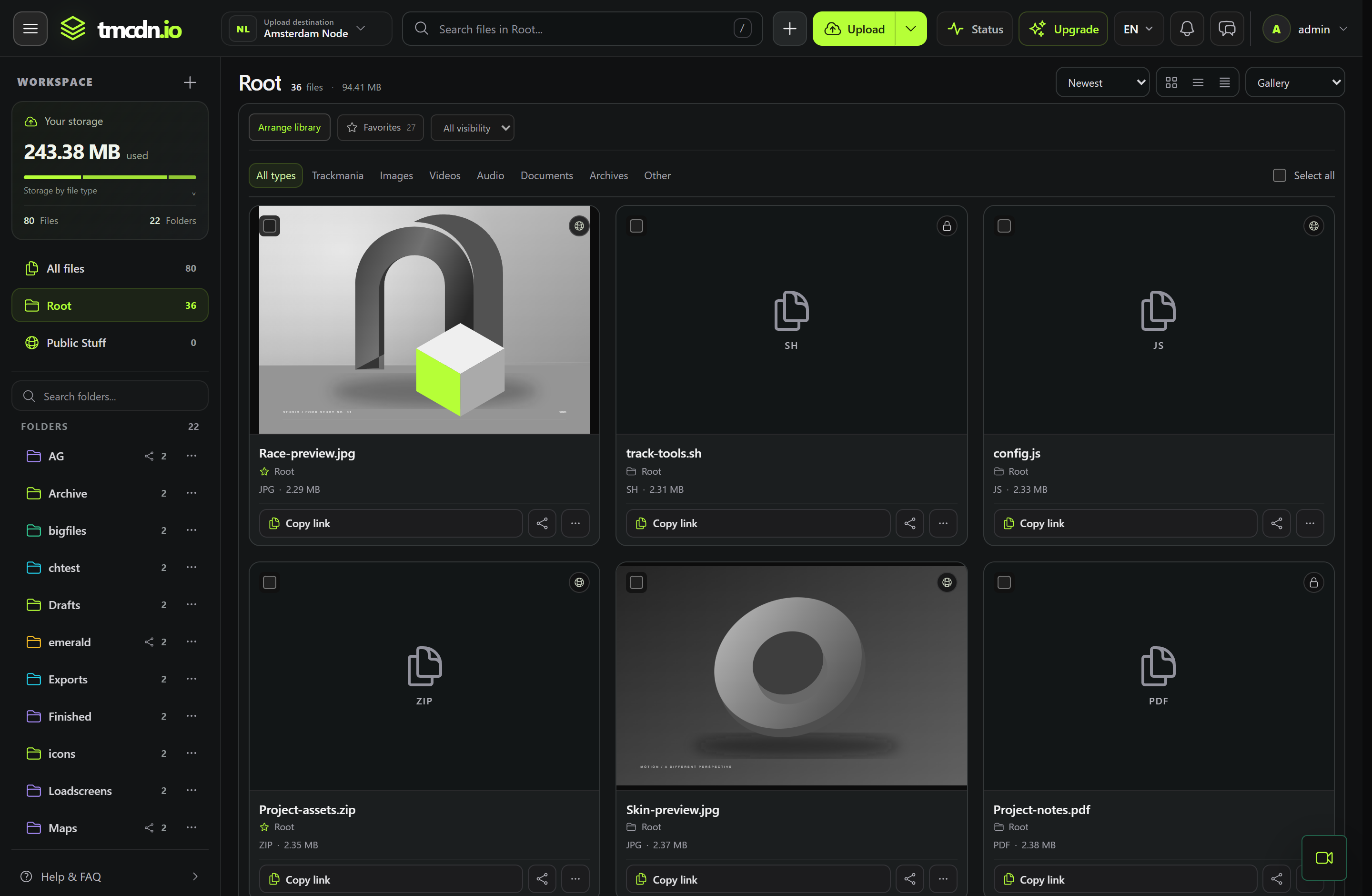
Browse image and video previews in Gallery. Open a supported file from its card to take a closer look.
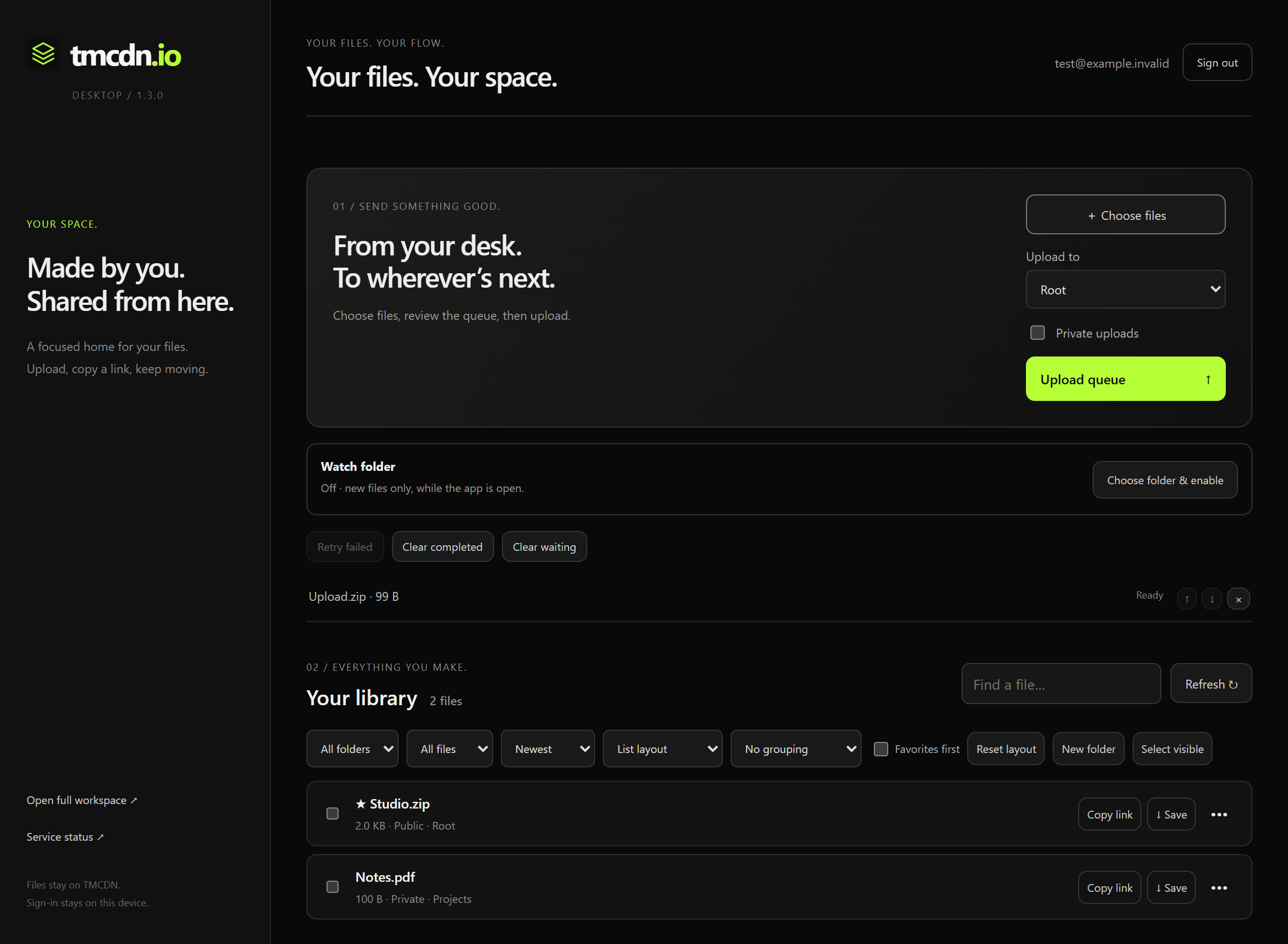
Choose a destination folder, reorder your queue and retry failed uploads. Windows can also watch a folder for new files while the client is open.
Check application and database availability, storage-node results and when those results were recorded.
Browse the image, video, upload and sharing tools available in the web dashboard.
Keep a project together and choose how you browse it.
Make a quick edit before sending a file.
Send the file link and choose who can open it.
Choose a destination and keep track of your queue.
Connect the same account outside your browser.
Keep file notices and help close to your library.
Select an available node as your upload destination in the dashboard. These results show the latest recorded availability check.
Open dashboard